From scattered recordings to reviewed, PBX-ready audio.
Which number reaches which service, and what each caller hears there, usually lives in spreadsheets and old WAV files. Dialtone360 puts it in one place you can keep current.
What callers hear is the least-managed part of the phone system.
Numbers, trunks and devices have inventories. The greetings, menus and hold messages on top of them usually don’t, until a migration, a new language or a closure forces a scramble.
Folders of WAVs
Prompts live in shared drives, old PBX backups and email attachments. Nobody is sure which file is live, or what it says.
Spreadsheets of numbers
Which DID reaches which auto attendant is a tab in someone’s workbook, last updated two migrations ago.
Re-record everything
Changing opening hours means a studio booking, one file per language and a different conversion for every platform.
- Step 01
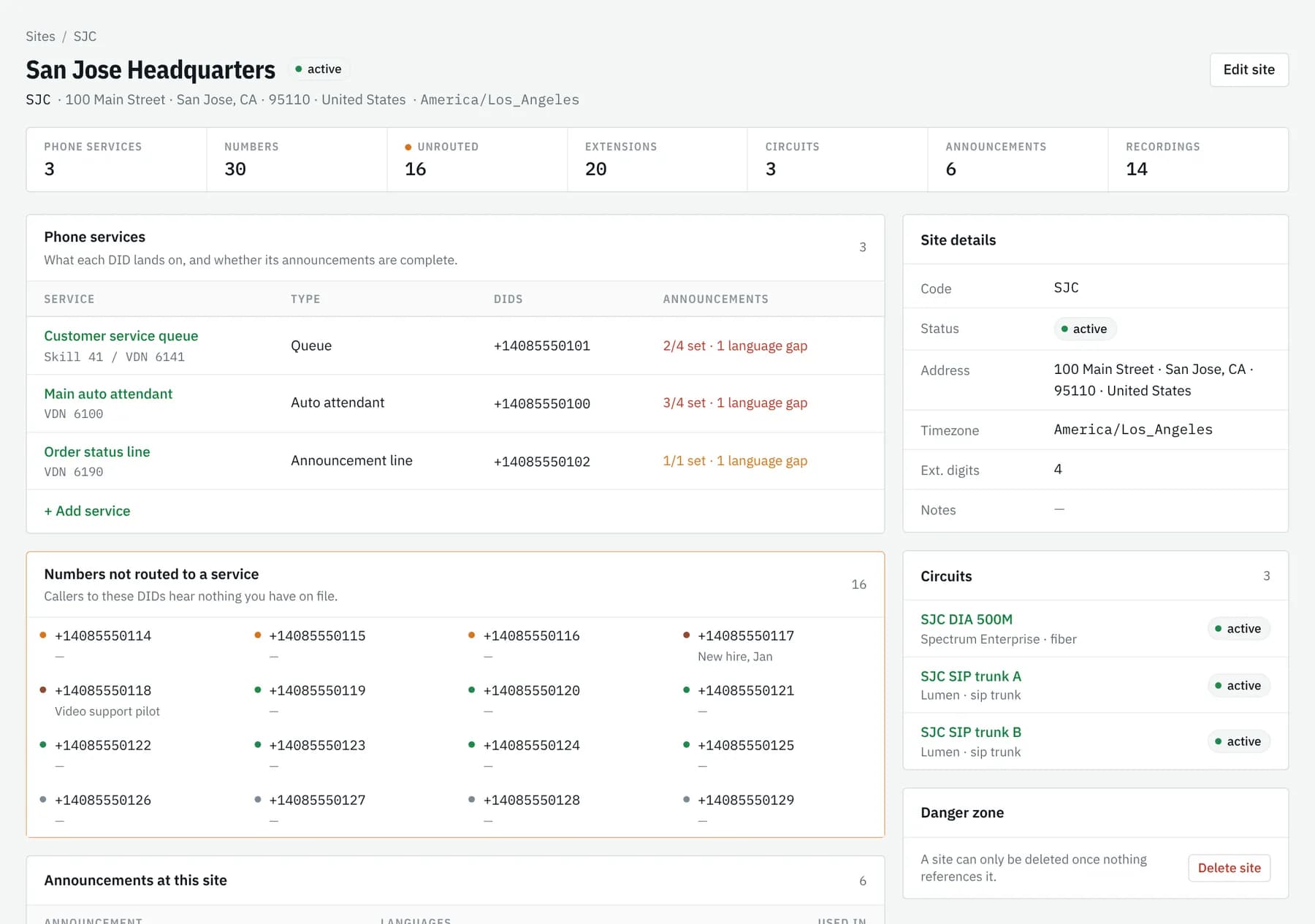
Load your sites and numbers
Add sites, DIDs and extensions by hand or from a spreadsheet workbook with a dry-run check, and record which phone service (auto attendant, queue or hunt group) each number reaches.
- Step 02
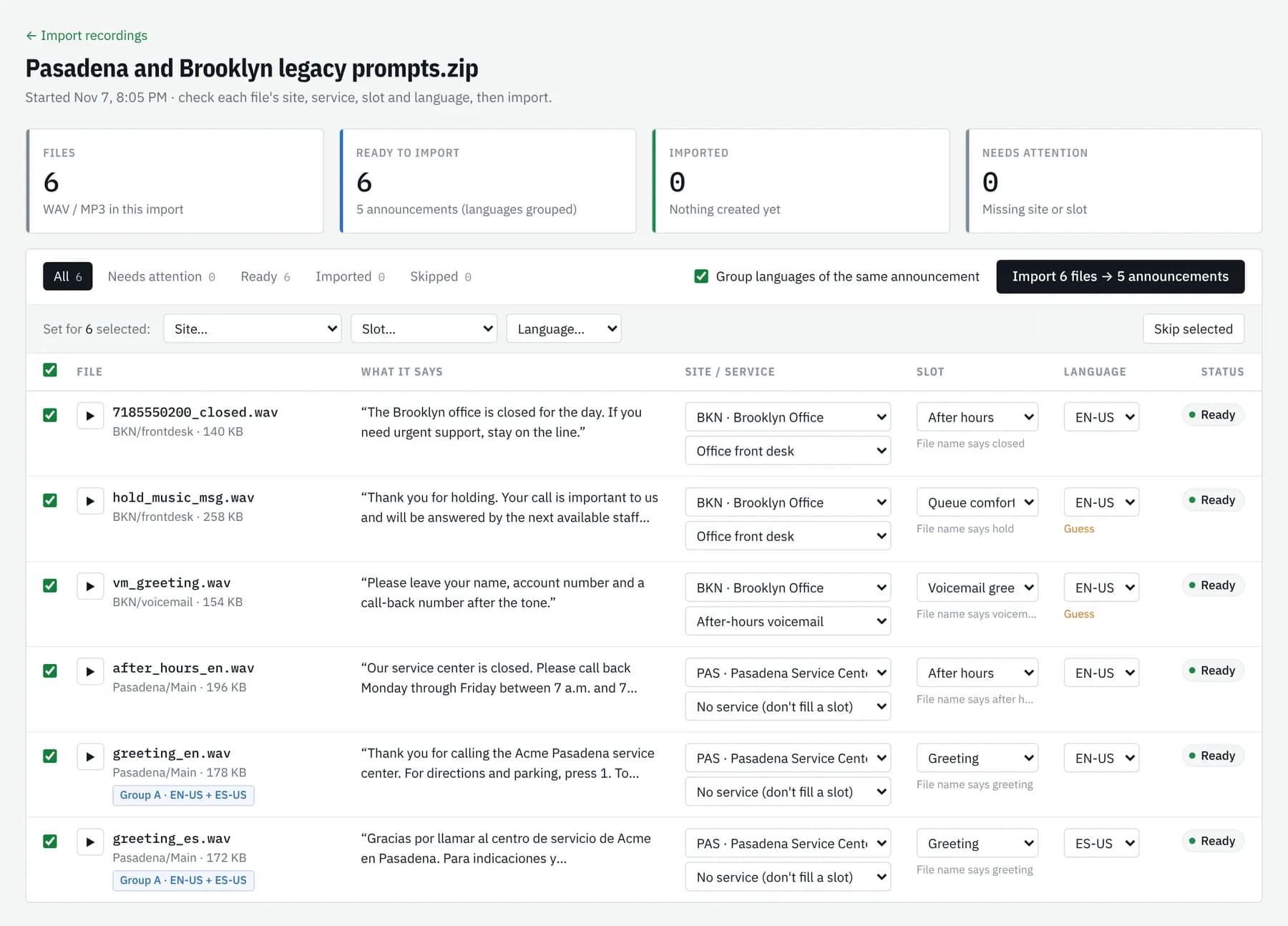
Bring in your announcements
Upload the recordings you have today, or run IVR discovery against a live number to capture what callers hear now. Each prompt is transcribed for you to check, then kept as-is or re-recorded in a consistent voice.
- Step 03
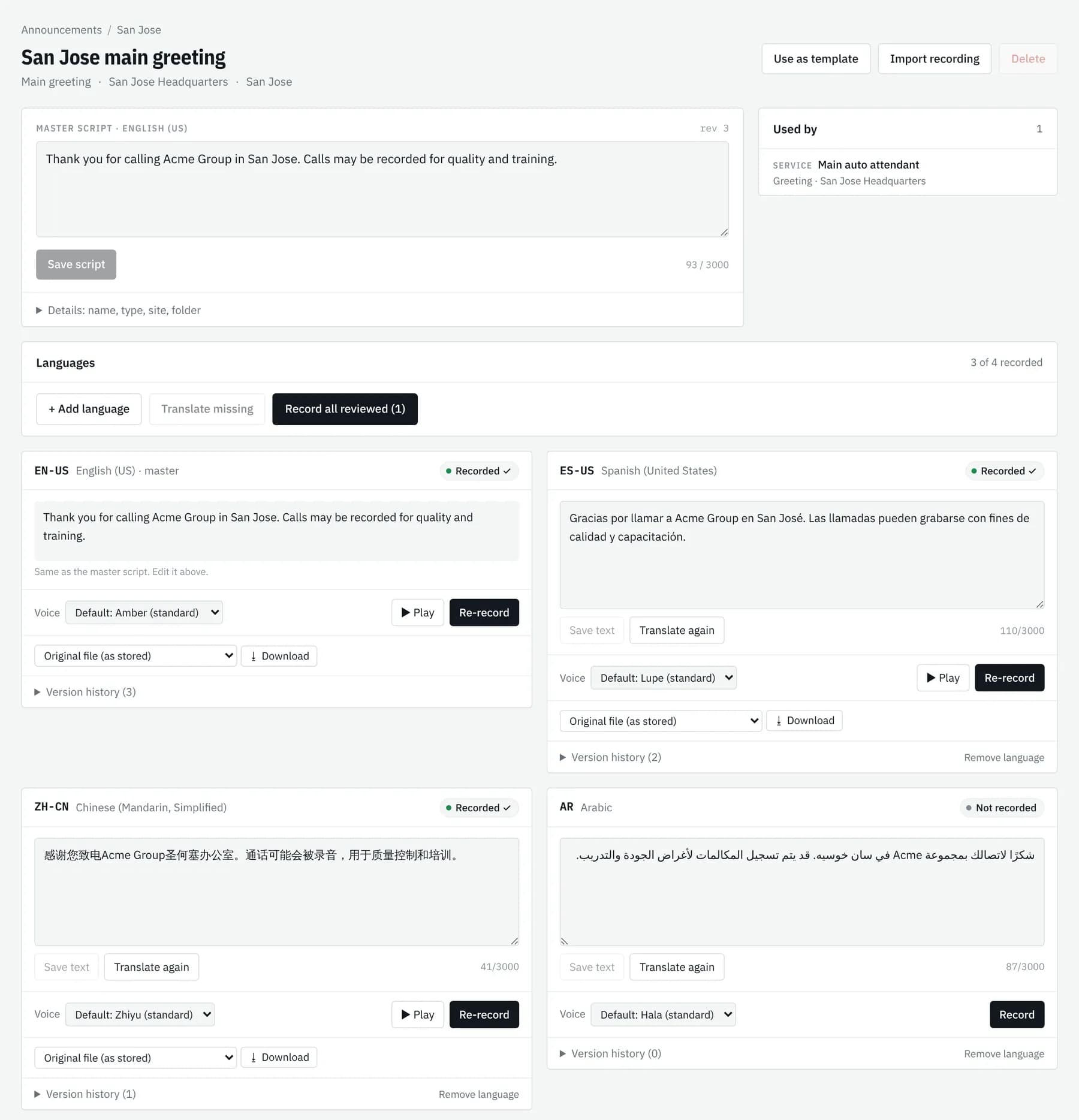
Translate, then review before anything goes live
Add the languages your callers speak. Translations and transcripts are drafts until a person approves them. When a script changes, every other language is flagged as out of date so they all stay in step.
- Step 04
Download for your PBX
Download each announcement in the audio format your phone platform expects and load it where it plays. Every version stays in the history for the next change.
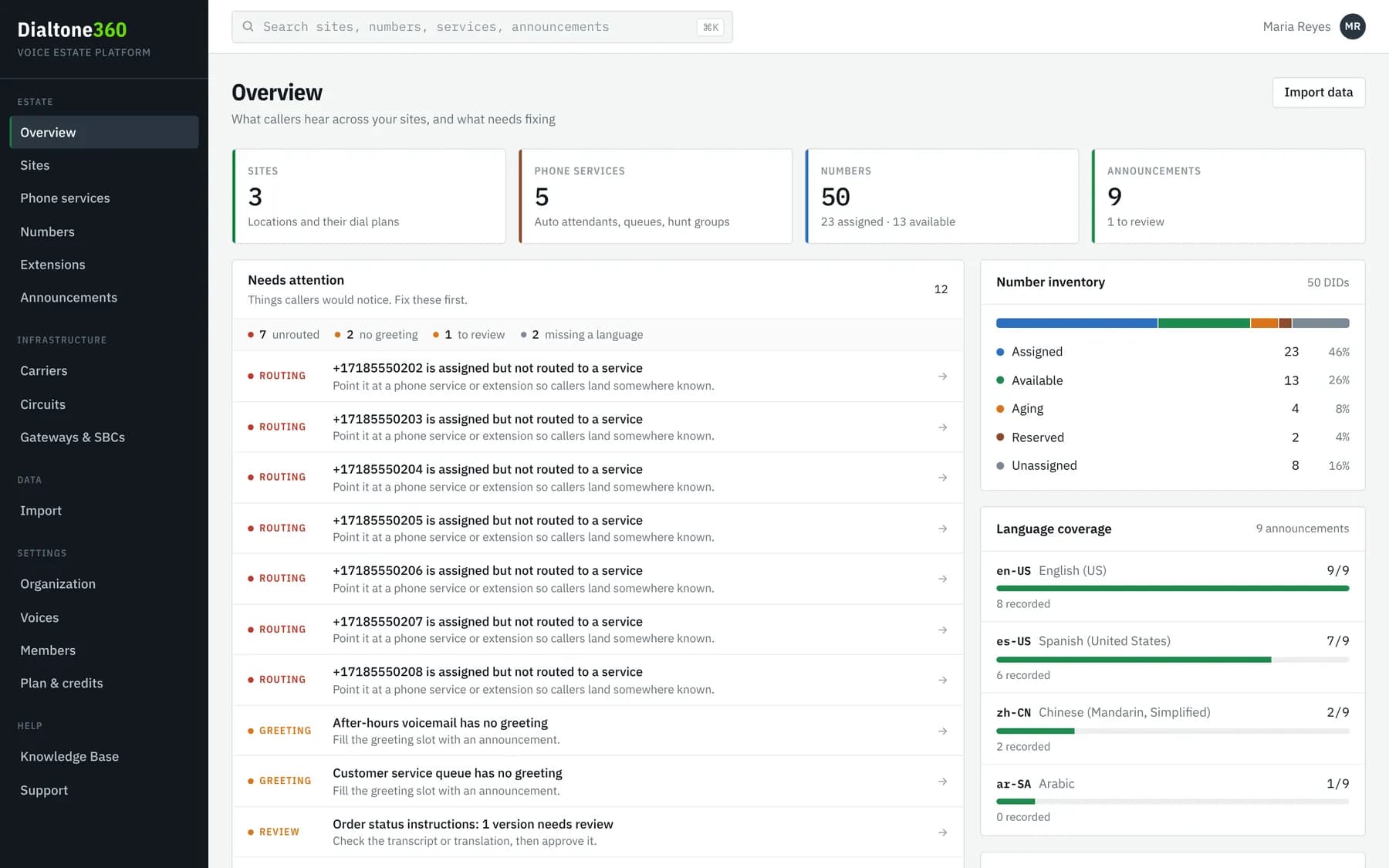
From a folder of WAVs to PBX-ready audio.
Six steps, one place, and a person signs off before anything is published.
- 01Import
Upload WAVs or a ZIP of the prompts you have today.
- 02Transcribe
Every file becomes text you can read and search.
- 03Translate
AI drafts each language from the master script.
- 04Review
A person approves every transcript and translation.
- 05Record
One consistent voice across sites and languages.
- 06PBX-ready
Download in the exact format your platform plays.
Put every announcement in order.
Start a 7-day free trial with a company email, or talk to sales about an Enterprise pilot for a larger estate.